Showing posts with label Mobile Phones. Show all posts
Showing posts with label Mobile Phones. Show all posts
G+ app for Android driven Mobile Phones
Monday, 1 August 2011 05:11

- Pros
Free. Clean and smart design. Easy to navigate. Easy to learn. Automatically includes a separate app for Huddle (group chat).
- Cons No administrative controls in Huddle. Not all thumbnail images resize and display properly.
- Bottom Line
Social networks need mobile apps to thrive, and Google+'s is a fine start, tapping into conventions established by other online social networks, like Facebook and Twitter, while finding some of its own strengths at the same time.
Do Google services work best when used on Google platforms? I was curious if that would be the case when I installed the a Google+ Mobile app (free) on an Android-based phone (Android being Google's mobile operating system). In fairness, Google's new social network, Google+, runs just as well on Android as it does as an iPhone app (free, 3.5 stars). It doesn't get special treatment on Android, except that when you download and install the app, you actually get two: the primary Google+ app and a separate app for Huddle, or group chat. The only other difference is that the interface on Android deviates slightly from what's in the iPhone app; the way the apps work is largely the same, however.
Mobile apps are essential to the whole social networking experience. Think about Facebook and Twitter. Mobile apps are the most convenient way to check in on what's happening, and just as quickly get back to life in real time. As a social network, Google+ has made itself is much more usable with the addition of the mobile apps.
Part of this success comes from the design. Less screen space (compared with a full computer monitor, where other Google properties are often deployed) means every inch of it has to be use effectively. If you've ever felt that Google was too sparse with its designs on the Web, you might see Google+ as a revelation in Google UI. The app is clean and easy to navigate without too many menus and unnecessary words cluttering the screen.
How to Get Google+ Mobile App
Start by locating the Google+ Mobile app in the Android Marketplace, and dropping it onto your mobile device. Alternatively, you can try getting it through a QR code provided by Google.
Once you find and install the free app, just sign in using your Google account, if it's not already synced to the phone. If it is synced, you can select it from a list after firing up the app. Note that you must already have Google+ access in order to use the app, so if you haven't received an invitation yet, hang tight until you do.
Design
Like Facebook's mobile app, the mobile version of Google+ orients you with a landing screen that shows the main components in a grid, their icons and single-word descriptors helping you choose how you'll use the app. Google+'s icons are not yet as well known as Facebook's, so the names printed below them help a great deal: Stream, Huddle, Photos, Profile, and Circles. If you didn't guess what you can do by the name of the tool, at least you'll be mildly intrigued to dive in and find out.
Features
Any social networking user will be familiar with words like "stream" (updates from your contacts), "profile" (information about you) and "photos." And if you've used the Google+ site, you've likely already established Circles, or subsets of your connections, grouped by whatever classification you want to create, such as close friends, co-workers, extended family, and so forth.
Notably missing in the mobile app is the Hangout feature, or video group chat, which is Web-only. Replacing it is Huddle, a group instant messaging tool. To use Google+'s Huddle, select Huddle and click the speech bubble icon at the top right to start a new chat. Alternatively in Android, you can go directly to the Huddle app that automatically installs when you first downloaded the Google+ mobile app. In Huddle, you can invite individuals to group chat with you or an entire Circle. As people are invited, their profile pictures appear in a strip at the top, giving you the ability to quickly see who's there. Six images fit easily in that banner at the top, and when more people are invited, the strip become scrollable. This visual presentation of who has been invited to a Huddle is excellent.

Apple, Android Battling for Smartphone Leadership in Mobile OS Race
Sunday, 31 July 2011 05:47
The mobile phone market is changing. Depending on how you slice that market, the biggest winner in the last year was either Apple or Google. Apple is the largest maker of smartphone handsets, but Google’s Android smartphone OS is the top seller while Apple’s iOS is No. 2.
But for the top handset market share, it’s still Nokia, due mostly to its vast number of non-smartphone sales. However, Nokia’s smartphone sales are off while the company sells units with its aged Symbian operating system and waits for Microsoft Phone 7 equipped devices to appear in large numbers.
Apple enjoyed explosive growth in smartphone sales over last year, with an increase of 141.8 percent, according to an IDC report. Nokia, while still tops in overall phone market share suffered a drop in sales of more than 20 percent.
But there’s more to the smartphone market than who makes the handset. According to a Nielsen survey, Android-based phones now own 39 percent of the U.S. market compared to Apple’s 28 percent. The reason for the difference, of course, is there are multiple handset makers supporting the Android OS, while there’s only one Apple–supporting iOS.
Meanwhile, there are any number of rumors that could change the dynamic significantly, depending on what turns out to be true. For example, there’s a rumor that Apple could offer the iPhone to all U.S. carriers instead of just AT&T and Verizon Wireless. If that were to happen, perhaps there’s a chance that Apple could surge ahead of the Android devices by opening up availability. There’s certainly demand–one source at T-Mobile told me that there are about a million iPhone users on T-Mobile now–enough that T-Mobile stores are selling some iPhone accessories.
The level of hype surrounding the iPhone, especially the long anticipated iPhone 5 will also help build market share for both the device and for iOS. According to a PriceGrabber survey, 35 percent of consumers say they will buy an iPhone 5 when it comes out. If these numbers pan out (and that’s not a sure thing) then that could bump the iPhone into top place in the United States and perhaps globally in the smartphone market.
But for the top handset market share, it’s still Nokia, due mostly to its vast number of non-smartphone sales. However, Nokia’s smartphone sales are off while the company sells units with its aged Symbian operating system and waits for Microsoft Phone 7 equipped devices to appear in large numbers.
Apple enjoyed explosive growth in smartphone sales over last year, with an increase of 141.8 percent, according to an IDC report. Nokia, while still tops in overall phone market share suffered a drop in sales of more than 20 percent.
But there’s more to the smartphone market than who makes the handset. According to a Nielsen survey, Android-based phones now own 39 percent of the U.S. market compared to Apple’s 28 percent. The reason for the difference, of course, is there are multiple handset makers supporting the Android OS, while there’s only one Apple–supporting iOS.
Meanwhile, there are any number of rumors that could change the dynamic significantly, depending on what turns out to be true. For example, there’s a rumor that Apple could offer the iPhone to all U.S. carriers instead of just AT&T and Verizon Wireless. If that were to happen, perhaps there’s a chance that Apple could surge ahead of the Android devices by opening up availability. There’s certainly demand–one source at T-Mobile told me that there are about a million iPhone users on T-Mobile now–enough that T-Mobile stores are selling some iPhone accessories.
The level of hype surrounding the iPhone, especially the long anticipated iPhone 5 will also help build market share for both the device and for iOS. According to a PriceGrabber survey, 35 percent of consumers say they will buy an iPhone 5 when it comes out. If these numbers pan out (and that’s not a sure thing) then that could bump the iPhone into top place in the United States and perhaps globally in the smartphone market.
Windows Phone “Mango” – Released to Manufacturing
Tuesday, 26 July 2011 05:25
by Terry Myerson
I wanted to drop into the Windows Phone Blog briefly to update you on an important milestone. Earlier this morning, the Windows Phone development team officially signed off on the release to manufacturing (RTM) build of “Mango” – the latest version of the Windows Phone operating system. This marks the point in the development process where we hand code to our handset and mobile operator partners to optimize Mango for their specific phone and network configurations. Here on the Windows Phone team, we now turn to preparing for the update process. The Mango update for current Windows Phone handsets will be ready this fall, and of course will come pre-installed on new Windows Phones.
In May, we officially took the wraps off of Mango, a release including hundreds of new features that create a smarter and easier approach to communications and apps, while delivering the best web experience. My favorites?
· Our unique new email Conversation View which helps me to efficiently participate in long email discussions with my friends and co-workers.
· Threads that bring together my text, IM, and Facebook chat all into one conversation.
· App Multitasking, enabling me to efficiently work on my email, listen to music, and then pop in and out of Words By Post games when it is my turn. Mango also connects apps to search results and deepens integration within the Hubs like Music and Video and Pictures.
· Internet Explorer 9 for fast web browsing and support for new HTML 5 web sites.
We can’t wait to get Mango in your hands so you can experience all the new features for yourself and give us feedback on where to go next. As we reach additional milestones we will be back to share more but until then, thank you for your support of Windows Phone.
[source: WindowsPhone Blog ]
I wanted to drop into the Windows Phone Blog briefly to update you on an important milestone. Earlier this morning, the Windows Phone development team officially signed off on the release to manufacturing (RTM) build of “Mango” – the latest version of the Windows Phone operating system. This marks the point in the development process where we hand code to our handset and mobile operator partners to optimize Mango for their specific phone and network configurations. Here on the Windows Phone team, we now turn to preparing for the update process. The Mango update for current Windows Phone handsets will be ready this fall, and of course will come pre-installed on new Windows Phones.
In May, we officially took the wraps off of Mango, a release including hundreds of new features that create a smarter and easier approach to communications and apps, while delivering the best web experience. My favorites?
· Our unique new email Conversation View which helps me to efficiently participate in long email discussions with my friends and co-workers.
· Threads that bring together my text, IM, and Facebook chat all into one conversation.
· App Multitasking, enabling me to efficiently work on my email, listen to music, and then pop in and out of Words By Post games when it is my turn. Mango also connects apps to search results and deepens integration within the Hubs like Music and Video and Pictures.
· Internet Explorer 9 for fast web browsing and support for new HTML 5 web sites.
We can’t wait to get Mango in your hands so you can experience all the new features for yourself and give us feedback on where to go next. As we reach additional milestones we will be back to share more but until then, thank you for your support of Windows Phone.
[source: WindowsPhone Blog ]
Android is the top Mobile OS
Friday, 22 July 2011 05:12
Google's Android mobile operating system was the most popular choice among smartphone buyers in June, but Apple's iOS helped Cupertino become the top smartphone manufacturer in the U.S. last month, according to Thursday data from Nielsen.
Android now has the largest share of the U.S. smartphone market with 39 percent, followed by Apple and iOS with 28 percent. Research in Motion's BlackBerry, meanwhile, is down to 20 percent.
"Because Apple is the only company manufacturing smartphones with the iOS operating system, it is clearly the top smartphone manufacturer in the United States," Nielsen wrote in a blog post.
HTC, Motorola, and Samsung also had a pretty successful month. HTC's Android phones represented 14 percent of the smartphone market, while its Windows Mobile/Phone 7 devices nabbed 6 percent. Android-based Motorola smartphones, meanwhile, made up 11 percent of U.S. smartphones last month, while 8 percent of smartphone owners had a Samsung Android device. Samsung also sold about 2 percent of Windows Mobile and Windows Phone devices.
Earlier this month, comScore said that Samsung was the top U.S. handset manufacturer between March and May with 24.8 percent of the market, while Android nabbed 38.1 percent of smartphone OS market share.
Controversial June numbers from IDC, meanwhile, said that Android and Windows Phone would be the top two mobile operating systems by 2015. That might not be too far-fetched for Android at this point, but Windows Phone has thus far had a slow start. That could change, however, when Nokia starts releasing Windows Phone-based devices later this year.
Android now has the largest share of the U.S. smartphone market with 39 percent, followed by Apple and iOS with 28 percent. Research in Motion's BlackBerry, meanwhile, is down to 20 percent.
"Because Apple is the only company manufacturing smartphones with the iOS operating system, it is clearly the top smartphone manufacturer in the United States," Nielsen wrote in a blog post.
HTC, Motorola, and Samsung also had a pretty successful month. HTC's Android phones represented 14 percent of the smartphone market, while its Windows Mobile/Phone 7 devices nabbed 6 percent. Android-based Motorola smartphones, meanwhile, made up 11 percent of U.S. smartphones last month, while 8 percent of smartphone owners had a Samsung Android device. Samsung also sold about 2 percent of Windows Mobile and Windows Phone devices.
Earlier this month, comScore said that Samsung was the top U.S. handset manufacturer between March and May with 24.8 percent of the market, while Android nabbed 38.1 percent of smartphone OS market share.
Controversial June numbers from IDC, meanwhile, said that Android and Windows Phone would be the top two mobile operating systems by 2015. That might not be too far-fetched for Android at this point, but Windows Phone has thus far had a slow start. That could change, however, when Nokia starts releasing Windows Phone-based devices later this year.
Nokia 6303i
Friday, 8 July 2011 05:16

In a word or two
The Nokia 6303i Classic is a compact mobile phone with an even more compact price.
The Design
The Nokia 6303i Classic is a tweaked version of the popular Nokia 6303 Classic. The phone has some internal upgrades and comes in two extra case colours – white on silver and khaki on gold – but the “i” version is the same size and weight (a mere 96g) as the original. This means the 6303i is pocket-friendly, with a traditional Nokia look.
Candybar in shape, the Nokia 6303i Classic has is an attractive layout which appeals to both the eye and the fingers thanks to the spacing of each key. The 2.2 inch screen displays a good resolution and supports 16 million colours – which is particularly good given the greater social networking integration of this Nokia.
Nokia 6303i Classic Specifications
Communication is straightforward on the Nokia 6303i Classic. The phone packs a number of options into its slim case including Bluetooth and Ovi Services. You can download applications onto your phone via the Ovi Store as well as quickly share your snaps using the Ovi Share function. And with a 3.2-megapixel camera onboard, you will probably want to share your images with friends. The camera has autofocus, 4x digital zoom and a dual LED flash. With a video option, you can happily capture still and live footage on your travels, and although the quality is not the finest it is sufficient to certainly enjoy this feature.
Another good tweak of the Nokia 6303i Classic is its ability to support instant messaging. As well as chatting via social networking sites, you can engage in real-time conversations online – and there are the usual communication options on top like email, and text and multimedia messages.
The battery life has also been enhanced compared to the original 6303. The Nokia 6303i Classic has an incredible 515 hours standby time, which makes a refreshing change to the likes of the iPhone and Google Nexus One smartphones which seem to devour batteries in a matter of hours. With the Nokia 6303i Classic, you can go away for the weekend and not panic if you forget your phone charger. This battery is also great when it comes to enjoying your music as it supports up to 30 hours of music playback from a single charge. You can choose to listen to your own playlists or tune into your preferred FM radio station, and listen via the 3.5mm audio connector or through the phone’s internal speakers.
Considerations
The Nokia 6303i Classic is a 2G mobile with no support for 3G or Wi-Fi.
Nokia 5220
Friday, 1 July 2011 05:14

The relatively new Nokia 5220 is one of the Xpress Music phones from Nokia which offers a good set of features including a very good music player and a 3.5mm head phone jack. The phone has a great look to it as well and is very easy to use. It’s essentially a cheap phone which offers a good set of features and the added bonus of being a dedicated music phone. There is a dedicated audio chip inside the phone which helps music quality through headphones. So far, we’ve not seen much wrong with this phone at all and would highly recommend it to personal users who enjoy music.
Specifications
The Nokia 5220 is a music phone so as you’ve probably guessed it is equipped with a great media player so you can listen to music whenever you feel like it. The phone has about 30 MB of internal memory which isn’t very much for music (about 5 songs) but it can be expanded up to 2GB which is enough for about 500 songs so it’s definitely worth getting a memory card for this phone. The phone also has a 3.5 mm headphone jack which is very helpful because it means you can plug in your own headset and listen to music whenever you please.
The Nokia 5220 also has a 2 mega pixel camera which comes in handy for snapping a few shots here and there. The camera has a 4 x digital zoom and is relatively good considering the price range this phone is in. The camera can also record video clips which is handy although the quality isn’t excellent so if you need something better than average you should look elsewhere. The phone has a lot of features for a device in this price range and is also equipped with FM radio with RDS which means you can tune into your favorite radio station when you’re out and about.
The phone also has a good organizer with a calendar and memos. You can also use the voice memo and built in hands free as and when you need it. There is also a good battery on board this phone which lasts up to 24 hours for music playback. The phone’s standby time and talk time is 406 hours and 5 hours respectively which is pretty good for a phone of this style. All in all, the features of this phone are good and we’d definitely recommend it to basic personal users who enjoy music features.
Looks
The Nokia 5220 has a rather funky design on the exterior which is asymmetrically designed to make it easy and comfortable to hold. However, it is a bit odd so it might not be everyone’s cup of tea so beware of this. However, practically it is a very good handset and appears to have a good range of usability. The handset itself is available in three colours; blue, red and green and we always like a handset that is available in more than one colour because it gives users a chance to be unique. The phone measures in at about 108mm by 43.5mm by 10.5mm so isn’t huge by any means and is actually quite slim line in design.
The phone weighs about 78 grams which is very light for a music phone and we think this is great because it’s lightweight, slim line and stylish. In our opinion, the phone has a nice and stylish design to it and is probably going to be very popular with personal users because it’s funky and stylish and is definitely a personal phone in terms of its design, look and feel. However, it won’t be everyone’s cup of tea because it is an odd shape – some people will find it to be cool, others will find it to be odd.
Design
In terms of design, the Nokia 5220 has good software and the user interface and operating system appear to run smoothly together. There have been some comments about the phone randomly switching itself off during calls but this doesn’t appear to be a widespread problem. Overall, the design of the software is good and seems to match the internal applications and features well. It appears to be easy to use and most of the applications run quickly and you should be able to use this phone easily and perform tasks quickly and with little or no trouble at all.
Overall
All in all, the Nokia 5220 is a good looking phone and although it won’t be everyone’s cup of tea it’ll probably be very popular because it’s different. The features inside the phone are very good and the design of the exterior is also good in terms of usability. The phone’s camera and video recording facilities may not be the best but they offer an easy and fast way to snap a few shots and are both perfect for basic personal users. We’d definitely recommend this phone to personal users who enjoy music features because the phone has a dedicated set of features just for enjoyment of music.
Also, the Nokia 5220 has a nice look to it and is very stylish inside and out and as it is only £130 on PAYG and free on contract you can probably get a pretty good deal on this phone which will make it all the more popular. For a mid range phone it certainly has a good amount of features which will make personal users very excited and we think it’s a great phone that is definitely worth the purchase. It has all you could need as well as being in a stylish handset which is different and unique.
Overall, the Nokia 5220 is definitely a phone we’d recommend to personal users and it seems to have a nice set of high quality features which make it a very popular handset to own. The only downside is the problem with the phone shutting off randomly but as this doesn’t appear to be a widespread problem we think it’s safe to say that it’s a good phone with good features and will probably make a lot of people very happy to own. All in all, the Nokia 5220 is yet another good phone from Nokia.
F-Secure Anti-Theft For Mobile
Thursday, 23 June 2011 03:05
A lost or stolen cell phone can be devastating, considering that the phone may contain private data and information that may even be used for identity theft or other criminal activities.
F-Secure Anti-Theft For Mobile is a free security software for cell phones running Symbian OS, Windows Mobile or Android. It offers several options to take control of the situation.
The key features of Anti-Theft for Mobile are the ability to remotely lock the cell phone, locate it and to wipe its data in case it looks like the phone is lost forever.
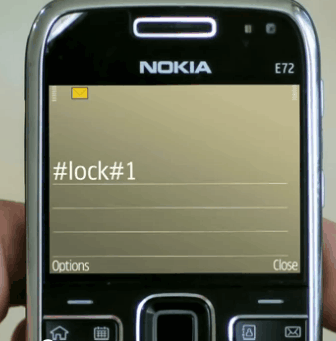
The software reacts on remote commands send via SMS to the phone. Here are the available commands and their action:
- Send #lock#YourCode to the stolen or lost phone. Will lock the phone, only option to unlock it is to enter the correct password.
- Send #locate#YourCode to the phone. Locates the phone and displays a link to Google Maps that can be used to find out where the phone is located.
- Send #wipe#YourCode to the phone to delete all confidential data on the phone.
MWC 2011: LG overview
Saturday, 7 May 2011 22:41
Press conference
The LG press conference at the start of MWC 2011 saw the official announcement of the Optimus 3D and Optimus Black smartphones and the 8.9" tablet Optimus Tab.

MWC booth
Of course we also stopped by the LG booth at the MWC itself, where we could spend some more quality time with the new devices.


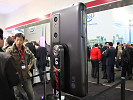
As you can see from the photos the new announcements generated quite a lot of interest. Still we managed to fight our way through the crowd and got our geeky hands on all of them.
Understandably, we started with the Optimus 3D. Join us after the break for a load of live images, a hands-on video and a real 3D video captured with its cameras. Plus we've got its impressive Quadrant benchmark performance.
Samsung Galaxy S II vs LG Optimus 2X
22:39
Introduction
Ah, the power of dual-core processors – it lets you do cool stuff like buttery-smooth multitasking, exciting 3D portable gaming or Full HD videos. The latest Samsung I9100 Galaxy S II packs the new Exynos chipset, which pairs a couple of Cortex-A9 cores with a Mali-400MP GPU. Sounds like a potent mix – at least on paper, so we’re eager to pit it against one of the first phones to offer Nvidia’s Tegra 2 platform - the LG Optimus 2X.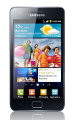
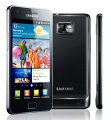


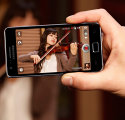
What we have in our hands is a pre-release test unit of the Galaxy S II, successor to one of the best selling Android phones. Ours runs its two CPU cores at 1GHz but Samsung announced that the speed will be bumped up to 1.2GHz.
Once that’s done, the I9100 Galaxy S II would be the most powerful droid – until the competition catches up, which won’t take long judging by our rumor mill. Anyway, we’re going to use the chance to put Samsung’s Exynos chipset head to head with NVIDIA’s Tegra 2. We’ll be using the LG Optimus 2X for the benchmarks, which runs at the same clock speed as our Galaxy S II – 1GHz.
We’re already working on our Galaxy S II preview but until that’s done, we just couldn’t resist testing some of the most interesting new features of Samsung’s latest flagship. Here’s what this comparison will be about.
First off, this is our first encounter with the Super AMOLED Plus technology, which improves on an already excellent screen. We’ll run the new display through several tests to determine how it stacks up against the old one and other leading displays on the market.
Next, we’ll get to the camera department – the Galaxy S II comes with an 8MP still shooter that can capture 1080p FullHD videos. That’s our second encounter with such a beast and we’ll be pitting it against the LG Optimus 2X camera, that’s for sure. A surprising guest star in the camera test is the Sony Ericsson Arc, which we recently reviewed as well.
After that comes the test of what makes the Samsung I9100 Galaxy S II tick – the new dual-core Exynos chipset. Just keep in mind the Galaxy S II retail version will have 20% more clock speed for each of the two CPU cores.
Finally, we’ll wrap things up with a real-life performance test – how does the Galaxy S II stack up in real world tasks (we’ll be testing the user interface, web browser and games) against a phone with a Tegra 2 chipset (which is quite popular among new smartphones and even tablets).
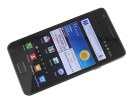
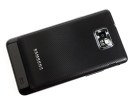
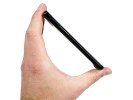
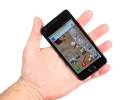
Ready? Then let’s jump to the next page – but be warned, you are in for some serious display envy.
Motorola Atrix 4G review: Enter the Atrix
22:35
Introduction
It was the alliance with Android that put Motorola out of the woods. Like every partnership, it’s been a series of peaks and dips but every now and then the relationship between Motorola and Android goes beyond a mere marriage of convenience and well into a simmering love affair.They did it with the MILESTONEs and the DROID X, the BACKFLIP and the DEFY. With the ATRIX 4G, Moto says it has no plans to live in the shadows of other big makers.
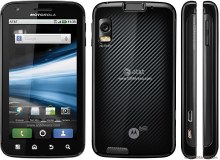
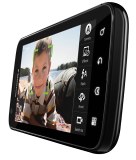
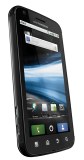
Motorola ATRIX 4G official photos
The Motorola ATRIX 4G is the first dual-core smartphone in the Motorola line-up. It’s also the first to flaunt a qHD touchscreen. That’s as solid as credentials get. Add the fact it’s the first handset for Motorola to support the fast HSDPA+ network (hence the 4G moniker) and you’ve got yourself a Droid that’s not afraid of what comes next.
Dual core is certainly the next big thing in mobile phones and the Motorola ATRIX deserves credit for being among the first – our bad really, this review isn’t exactly on time.
But there are other bold decisions that Motorola had to make. The HD and laptop docks for one – though the concept is not exactly original, Motorola is trying to make it mainstream. The added fingerprint scanner is not new either but well forgotten old does just as well. Plus, it will satisfy the privacy freak in all of us.
Anyway, the standard package is what we’re interested in and this is what our review will focus on. The optional extras can wait. The ATRIX is more important to us a phone (a dual-core smartphone, to be precise) than a wannabe laptop or a potential entertainment dock. Let’s waste no more time and take a glimpse of the ATRIX 4G’s key features.
Key features
- Quad-band GSM and dual-band 3G with HSDPA and HSUPA
- 4" 16M-color capacitive touchscreen of qHD (960 x 540 pixels) resolution, scratch-resistant Gorilla glass
- Dual-core 1GHz ARM Cortex-A9 proccessor, ULP GeForce GPU, Tegra 2 chipset; 1GB of RAM
- Android OS v2.2; MOTOBLUR UI (update to Gingerbread planned)
- Web browser with Adobe Flash 10.1 support
- 5 MP autofocus camera with dual-LED flash; face detection, geotagging
- 720p video recording @ 30fps (to be upgraded to 1080p Full-HD )
- Wi-Fi ab/g/n; Wi-Fi hotspot functionality; DLNA
- GPS with A-GPS; Digital compass
- Fingerprint scanner that doubles as a power key
- 16GB storage; expandable via a microSD slot
- Accelerometer and proximity sensor
- Standard 3.5 mm audio jack
- microUSB port (charging) and stereo Bluetooth v2.1 with A2DP
- standard microHDMI port
- Smart and voice dialing
- Office document editor
- Active noise cancellation with a dedicated secondary mic
- DivX/XviD video support
- Lapdock and HD Dock versatility
- Web browser with Adobe Flash 10.2 support
Main disadvantages
- Not the latest Android version
- No FM radio
- Screen image is pixelated upon closer inspection
- Questionable placement of the Power/Lock button
- Poor pinch zoom implementation in the gallery
- No dedicated shutter key
- Doesn’t operate without a SIM card inside
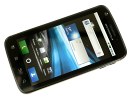
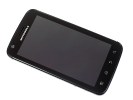
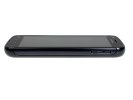
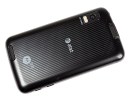
Motorola ATRIX 4G live photos
Garnish all this premium hardware with a 5MP camera with dual LED flash and a 4-inch capacitive touchscreen of qHD resolution of 540x960 pixels, and the ATRIX 4G is more than ready to play with the other dual-core kids.
As for us, we are about to take a closer look at the design and build of the phone and find out if it matches the premium hardware that resides within.
HTC Desire S review: Droid cravings
22:33
Introduction
Powerful hardware, large high-res screen and the latest Android version in a single piece of solid metal – the recipe did wonders for the original Desire so no wonder HTC are in no mood to experiment with the sequel. Take the best and make it better pretty much sums up the game plan. Oh well, we’ll take quietly brilliant even if emphasis is sometimes on quiet. In other words, the Desire S is a phone we’re ready to like. But make no mistake – it’s not meant to be the flagship its predecessor was.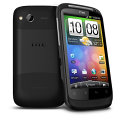
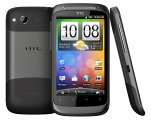
HTC Desire S official photos
HTC has the Sensation to send against the heavyweight competition. The new Desire is given a different, though no less important role. Ideally, it should be the smartphone that has broader appeal, the one to offer as reward to loyal upgraders. The phone to give you – wait for it – more bang for your buck than we’ve come expect from HTC.
Here’s what it puts on the table summarized.
Key features
- Quad-band GSM and dual-band 3G support
- 14.4 Mbps HSDPA and 5.76 Mbps HSUPA
- 3.7" 16M-color capacitive LCD touchscreen of WVGA resolution (480 x 800 pixels)
- Uses the best screen from HTC so far (along with the Incredible S)
- Android OS v2.3 Gingerbread with HTC Sense
- 1 GHz Scorpion CPU, Adreno 205 GPU, Qualcomm Snapdragon MSM8255 chipset
- 768 MB RAM and 1.1 GB ROM
- 5 MP autofocus camera with LED flash and geotagging
- 720p video recording @ 30fps
- Wi-Fi b/g/n and DLNA
- GPS with A-GPS
- microSD slot up to 32GB (8GB card included)
- Accelerometer and proximity sensor
- Standard 3.5 mm audio jack
- Stereo FM radio with RDS
- microUSB port (charging) and stereo Bluetooth v2.1
- Smart dialing, voice dialing
- Front facing camera, video calls
- DivX/XviD video support
- Compact aluminum unibody
- Gorilla glass display
- HTC Locations app
- HTCSense.com integration
- HTC Portable Hotspot
- Ultra-fast boot times (if you don’t remove battery)
Main disadvantages
- No dedicated camera key and no lens cover
- Poor camcorder performance, jerky 720p videos
- Below-par sunlight legibility
- Wi-Fi signal degrades when you cover the top part of the back panel
- microSD is below the battery cover
Video-chat enthusiasts will cheer the front-facing camera, while those who want lots of apps installed on their smartphones will appreciate the extended built-in memory.
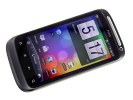
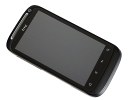
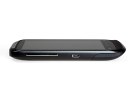
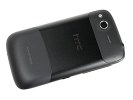
The HTC Desire S at ours
The bad news is the Desire S is – in more than one way – running against the clock. A year is a really long time in cell phone terms and there’s no guarantee the updates are enough to make it competitive in a market that’s embracing dual-core and pushing beyond the 1GHz mark.
The easiest way to dispel the doubts would be to sail smooth through this review. So why wait – unboxing coming up right after the break.
Nokia E6 hands-on: First look
Thursday, 5 May 2011 22:36
Introduction
The E6 is Nokia’s latest business offer and it has just landed in our office. It’s the company’s first smartphone running the new Symbian Anna OS out of the box. The E6 is a touch phone with a QWERTY keyboard and it even has a higher pixel density than the iPhone’s Retina display.It was a while since we’ve seen a high-end Nokia messenger. We are not trying to dismiss the previous E-series achievements, they’ve just became too conventional. Lucky for us the E6 brings a few interesting innovations to freshen up the lineup. It was about time!
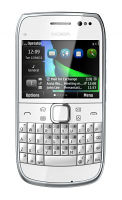
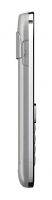

The E6 is Nokia’s first handset with VGA resolution and also Nokia’s first QWERTY bar with a touchscreen. Its pixel density is even higher than the Apple’s Retina display. The E6 doesn’t stop here though – it packs the same camera module as most of its Symabian^3 siblings – an 8 megapixel fixed-focus sensor capable of HD video recording. Add the new Symbian^3 update – Anna – and we might have a potent business or messaging phone if not else.
Nokia E6 at a glance:
- General: GSM 850/900/1800/1900 MHz, UMTS 850/900/1700/1900/2100 MHz, HSDPA 10.2 Mbps, HSUPA 2 Mbps
- Form factor: Touchscreen bar
- Dimensions: 115.5 x 59 x 10.5 mm, 87 cc; 133 g
- Display: 2.46-inch 16M-color VGA TFT LCD capacitive touchscreen
- Memory: 8GB storage memory, 1GB ROM, hot-swappable microSD card slot (up to 32GB)
- OS: Symbian Anna OS
- CPU: ARM 1176 680 MHz processor, Broadcom BCM2727 GPU; 256 MB RAM
- Camera: 8 megapixel fixed-focus camera with dual-LED flash, geo-tagging; 720p video recording@25fps
- Connectivity: Wi-Fi 802.11 b/g/n, Bluetooth v3.0 with A2DP, microUSB port with USB on-the-go, 3.5mm audio jack, GPS receiver with A-GPS, HDMI port
- Misc: Accelerometer, Stereo FM radio with RDS, Flash support in the web browser, proximity sensor, Battery: 1500 mAh Li-Ion battery
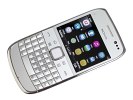
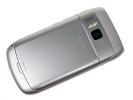
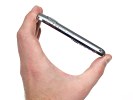
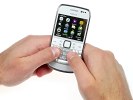
Nokia also put some work on the design and the E6 turned out to be quite a looker manufactured with premium materials. Jump on the next page to explore more about that.
PowerAMP Music Player (Trial) Review
Wednesday, 9 March 2011 09:26
PowerAMP is a slick-looking music player that is trying to corner the audiophile market. It has a lot to like about it, and some things to dislike. It looks good, and it has some great features, but it still has work to be done.
To start off, PowerAMP can play audio files that the native Android player (and most third-party music players) can't. The list of formats includes MP3 (of course), MP4, M4A, ALAC, OGG, WMA, FLAC, WAV, APE, WV, and TTA. Most of those won't mean anything to many people, but this is good news for hard-core music geeks.
PowerAMP has four different desktop widgets (with album art and without), and two types of lock-screen widgets. It's convenient to be able to play/pause and skip tracks (forward and back) without even having to unlock your phone. PowerAMP's lock-screen widget is the best that I've used.
The player looks great; it has a few different themes you can choose from. And the many menu settings make it pretty customizable. The user interface is not super intuitive, and it's pretty easy to get lost in the menus while looking for a song (or artist). Sometimes the back button moves you up one level, and sometimes it exits out of the program. The app also needs a way to get you back to the main library page with a single click.
Another lack: no way to reorganize the music on your playlists. You can add and delete files to playlists, which is nice (and not included in all music players), but once they're in a list you can't change what order the list plays in. Adding that feature would be a no-brainer.
This music player has come a long way in a short amount of time. The biggest thing it needs is a way to reorganize songs on playlists, and it could use some interface tweaks to make navigation easier. Overall though, it's very good and a worthy music player replacement.
The key to unlock the full version of this app costs $5.
To start off, PowerAMP can play audio files that the native Android player (and most third-party music players) can't. The list of formats includes MP3 (of course), MP4, M4A, ALAC, OGG, WMA, FLAC, WAV, APE, WV, and TTA. Most of those won't mean anything to many people, but this is good news for hard-core music geeks.
PowerAMP has four different desktop widgets (with album art and without), and two types of lock-screen widgets. It's convenient to be able to play/pause and skip tracks (forward and back) without even having to unlock your phone. PowerAMP's lock-screen widget is the best that I've used.
The player looks great; it has a few different themes you can choose from. And the many menu settings make it pretty customizable. The user interface is not super intuitive, and it's pretty easy to get lost in the menus while looking for a song (or artist). Sometimes the back button moves you up one level, and sometimes it exits out of the program. The app also needs a way to get you back to the main library page with a single click.
Another lack: no way to reorganize the music on your playlists. You can add and delete files to playlists, which is nice (and not included in all music players), but once they're in a list you can't change what order the list plays in. Adding that feature would be a no-brainer.
This music player has come a long way in a short amount of time. The biggest thing it needs is a way to reorganize songs on playlists, and it could use some interface tweaks to make navigation easier. Overall though, it's very good and a worthy music player replacement.
The key to unlock the full version of this app costs $5.
Amazon MP3
Thursday, 3 March 2011 15:34
Amazon MP3, an app often pre-installed on Android devices, allows you to browse through Amazon's ever growing DRM-free MP3 library and legally purchase music on your phone. With its most recent update, the app can now stream music that has been uploaded to your Amazon Cloud Drive as well as play files stored locally on an SD card.
While Amazon's music library may not be as robust as Apple's iTunes, I found it a bit easier to navigate on the mobile app. When you find a song you want to buy, you are given an option to either save it locally to your device, or to your Cloud Drive. If you save the file to your Cloud Drive, you can later download it onto your device or your computer at no extra cost. Amazon MP3 purchases that are saved directly to the Cloud Drive do not count against your storage quota.
One of the great things about Amazon MP3 is that you can stream your music to any Android device running 1.6 or higher with the app installed onto it. The only real issue I encountered when streaming over 3G was that higher bit rate files (audio files of a higher quality) would need to constantly buffer. That was not a problem when streaming over 4G or Wi-Fi, but if you don't have a 4G phone then it is kind of a moot point.
Playing music off of an SD card went off without a hitch, though the app only accepts AAC and MP3 formats (sorry FLAC fans). I preferred the Amazon music player over the bland stock Android one mainly because of its tight integration with the Amazon MP3 store. Instead of having to exit the app, an arrow at the top of the screen allows you to switch between the music player and the store on the fly.
Amazon MP3 is great for those of us with massive music collections, but lack the storage to carry it all with us. Even if you don't want to stream music, the Amazon media player is still far better than the default one found on some Android devices. It's free and definitely worth checking out, especially if you use your phone as your main music device.
While Amazon's music library may not be as robust as Apple's iTunes, I found it a bit easier to navigate on the mobile app. When you find a song you want to buy, you are given an option to either save it locally to your device, or to your Cloud Drive. If you save the file to your Cloud Drive, you can later download it onto your device or your computer at no extra cost. Amazon MP3 purchases that are saved directly to the Cloud Drive do not count against your storage quota.
One of the great things about Amazon MP3 is that you can stream your music to any Android device running 1.6 or higher with the app installed onto it. The only real issue I encountered when streaming over 3G was that higher bit rate files (audio files of a higher quality) would need to constantly buffer. That was not a problem when streaming over 4G or Wi-Fi, but if you don't have a 4G phone then it is kind of a moot point.
Playing music off of an SD card went off without a hitch, though the app only accepts AAC and MP3 formats (sorry FLAC fans). I preferred the Amazon music player over the bland stock Android one mainly because of its tight integration with the Amazon MP3 store. Instead of having to exit the app, an arrow at the top of the screen allows you to switch between the music player and the store on the fly.
Amazon MP3 is great for those of us with massive music collections, but lack the storage to carry it all with us. Even if you don't want to stream music, the Amazon media player is still far better than the default one found on some Android devices. It's free and definitely worth checking out, especially if you use your phone as your main music device.
Bonsai Blast
14:32
Bonsai Blast is hard to categorize. It's sort of a puzzle game, but timing, speed, and aim are every bit as important as strategy. On each level, multicolored marbles come rolling in on a track, slowly heading toward a black hole; if they reach the hole, you lose. You control a marble-shooting turret, and your task is to shoot into the train of oncoming marbles, matching three or more of the same color to eliminate them. You get extra points for creating combinations and longer chains.
As the levels progress, the path the marbles take becomes increasingly intricate. Sometimes they wind around themselves, making it very hard to hit the one you want. Other times they come in from multiple places simultaneously. And still other times you can hit them only by bouncing your marble off a wall or shooting it through a pipe. The backgrounds are pleasant, and are designed to look like Zen gardens, which is a nice effect. The game offers 90 levels, and they get extremely difficult--but at no point do you feel that your attempts are futile and you're wasting your time.
The creators of Bonsai Blast do a good job of changing up the game to keep it from becoming repetitive. Eliminating a marble while it's flashing triggers either a special ball (such as a fireball, or a ball of light that destroys everything around it) or an overall effect (such as the marble train rolling backward in the track a ways, or falling rain that destroys some random marbles). You'll really need these power-ups to get through the more advanced levels.
The only negative thing I can say about this game is that I've definitely played others like it before. Luxor Quest for BlackBerry is one, and I seem to remember other Flash-based versions. That said, Bonsai Blast is the best implementation of this type of game that I've seen. It crams in a ton of value (especially for a free game), and I highly recommend it.
As the levels progress, the path the marbles take becomes increasingly intricate. Sometimes they wind around themselves, making it very hard to hit the one you want. Other times they come in from multiple places simultaneously. And still other times you can hit them only by bouncing your marble off a wall or shooting it through a pipe. The backgrounds are pleasant, and are designed to look like Zen gardens, which is a nice effect. The game offers 90 levels, and they get extremely difficult--but at no point do you feel that your attempts are futile and you're wasting your time.
The creators of Bonsai Blast do a good job of changing up the game to keep it from becoming repetitive. Eliminating a marble while it's flashing triggers either a special ball (such as a fireball, or a ball of light that destroys everything around it) or an overall effect (such as the marble train rolling backward in the track a ways, or falling rain that destroys some random marbles). You'll really need these power-ups to get through the more advanced levels.
The only negative thing I can say about this game is that I've definitely played others like it before. Luxor Quest for BlackBerry is one, and I seem to remember other Flash-based versions. That said, Bonsai Blast is the best implementation of this type of game that I've seen. It crams in a ton of value (especially for a free game), and I highly recommend it.
Oxford Dictionary of English for Android
Tuesday, 1 March 2011 10:38
he Oxford Dictionary of English app, by Handmark, does a tremendous job of capturing all the OED's information, and making it available on your Android phone. In comparison to Merriam-Webster's dictionaries, the OED goes into far greater detail about each entry. You learn not only the common usage of a word as it is used today, but also the word's origins, its previous meanings, and multiple examples of the word in use. The app version preserves most of those features of the dictionary.
The chief difference between the print version of the OED and the Android app is that the Android app has an abbreviated number of examples of the use of each word in sentences.
Though the app has a high regular price, I bought it on sale for $10. Anyone fascinated by the breadth of the English language will find that this OED app quickly repays the investment.
The chief difference between the print version of the OED and the Android app is that the Android app has an abbreviated number of examples of the use of each word in sentences.
Though the app has a high regular price, I bought it on sale for $10. Anyone fascinated by the breadth of the English language will find that this OED app quickly repays the investment.
Android: A Gamer's Guide
Sunday, 9 January 2011 09:13
You may not realize it, but your Android-powered smartphone or tablet PC could be a gaming monster--if it's in the right hands. Here's everything you need to know about playing games on your Android gadgets.
The Android OS: It's on your phone (and maybe even your tablet PC), and it lets you run thousands and thousands of apps--including games. But which phones are ideal for gaming? What kind of specs do you need to play the latest and greatest? Can you use a hardware keyboard? Read on if you're looking for answers (and good games).
The current crop of Android phones, however, leaves the G1 and the MyTouch 3G in the dust, and has inspired the development of games (such as SpeedX 3D) that require more graphical power than the first-generation handsets can muster. For a handset with a reasonably current version of the Android OS (1.6 to 2.2), anything available on the Android Market should work properly. Users of first-generation devices, however, should stick to graphically simple 2D games (Jewellust and other puzzle games, for instance) due to those devices' limited 3D capabilities.
The Android Market organizes games into genres (Action, Strategy, and so on) and sorts them by user rating. It's a good idea to start with user ratings and then check the comments section for a potential purchase--not only do you get more-detailed opinions, but you may find notes about compatibility issues or missing features that would otherwise not be apparent.
Unlike the Apple App Store, the Android Market offers an especially valuable feature: a return policy. Any application you've paid for and installed may be uninstalled for a full refund within 24 hours of purchase. If you've paid for a game and you decide you don't like it, you're only one tap away from a return and a refund credited to the payment source linked to your Google Checkout account. You have a 24-hour try-before-you-buy window, and you can take your time playing the game before deciding whether to keep it.
First, decide which features you consider must-have in both a phone and a portable gaming device. A speedy processor, ideally 1GHz or faster (such as those in the HTC Nexus One, the Samsung Galaxy S phones, or the upcoming Motorola Droid 2), makes for smoother gaming and a longer effective life for the device--any of the midrange-to-high-end devices from major manufacturers (HTC, Motorola, Samsung) should perform well.
Also, would-be Android gamers should keep several other factors in mind:
Though most games will run just fine on several versions of the Android OS, each update of the platform has included substantial speed improvements for games, as well as support for better 3D graphics. If you use an unofficial Android update that isn't supported on your handset, be careful: It can help gaming performance, but you run the risk of breaking some OS functions that your games depend on.
Developers have taken notice, too, and have issued cross-platform iOS-Android releases for high-quality games such as the wonderful Legend of Zelda-inspired Zenonia from Gamevil, and two great shooters from Hexage named Radiant and Buka.
For the classic-gaming aficionado, Android has a fantastic selection of emulators for classic consoles (legality issues aside), including the Game Boy, Game Gear, Genesis, NES, and SNES. Full-speed mobile emulators are a real treat. Older phones like the G1 are capable of running NES games with sound, while more-powerful devices (Motorola Droid or better) can easily emulate newer consoles without issue.
Also, don't forget to check out our Android App Guide and Must-Have Apps for Entertainment for more Android fun and games.
If it's not enough for you to play the latest and greatest, here's a tip for keeping up on what's new in Android gaming: Follow the publishers that make the games you like. At the moment, it's hard to find some highly hyped releases--the best games seem to just fall from the sky, so to speak--but a few publishers, such as Hexage, HyperBees, and Larva Labs, are worth keeping tabs on.
Leave your favorite game suggestions in the comments!
Playing on Older Android Phones (G1, MyTouch 3G)
Android phones have been gamer-friendly since the very first HTC ("Dream") G1, which had a hardware keyboard, a touchscreen, a trackball, and a very capable processor--all of which were practically begging game developers to step up to the plate. Some of my favorite games debuted in that first generation, including Twiggle (which is unfortunately no longer available) and Bust-A-Move, to name a couple.The current crop of Android phones, however, leaves the G1 and the MyTouch 3G in the dust, and has inspired the development of games (such as SpeedX 3D) that require more graphical power than the first-generation handsets can muster. For a handset with a reasonably current version of the Android OS (1.6 to 2.2), anything available on the Android Market should work properly. Users of first-generation devices, however, should stick to graphically simple 2D games (Jewellust and other puzzle games, for instance) due to those devices' limited 3D capabilities.
Tips for Navigating the Android Market
Wading through the games section of the Android Market can be challenging even for the most veteran gamer; hundreds of games are available, at many different price points. Start by keeping an eye on the 'Top Paid', 'Top Free', and 'Just In' sections to find lists of the best and newest games on offer. The first two lists are frequently updated, and new games join the "Just In" section daily.The Android Market organizes games into genres (Action, Strategy, and so on) and sorts them by user rating. It's a good idea to start with user ratings and then check the comments section for a potential purchase--not only do you get more-detailed opinions, but you may find notes about compatibility issues or missing features that would otherwise not be apparent.
Unlike the Apple App Store, the Android Market offers an especially valuable feature: a return policy. Any application you've paid for and installed may be uninstalled for a full refund within 24 hours of purchase. If you've paid for a game and you decide you don't like it, you're only one tap away from a return and a refund credited to the payment source linked to your Google Checkout account. You have a 24-hour try-before-you-buy window, and you can take your time playing the game before deciding whether to keep it.
Choosing a Great Gaming Phone
These days, wireless carriers offer a fairly diverse set of Android phones. Each handset might run a different version of the Android OS, though, and some models may offer features that others from the same carrier do not. For example, Verizon subscribers who want a hardware keyboard will have to go with the Motorola Droid or Droid 2--the Droid X doesn't have one. A first-time Android buyer, especially one looking for a handset suitable for gaming, may be overwhelmed. Here's how you can narrow the selection to those phones that fit your budget and your gaming needs.First, decide which features you consider must-have in both a phone and a portable gaming device. A speedy processor, ideally 1GHz or faster (such as those in the HTC Nexus One, the Samsung Galaxy S phones, or the upcoming Motorola Droid 2), makes for smoother gaming and a longer effective life for the device--any of the midrange-to-high-end devices from major manufacturers (HTC, Motorola, Samsung) should perform well.
Also, would-be Android gamers should keep several other factors in mind:
- Keyboard type: Does the phone have a hardware keyboard or touchscreen software?
- Audio output type: Many Android phones feature a headphone jack, and some (like the Droid series) include stereo Bluetooth.
- Screen resolution and physical size: Bigger is better--consider the great displays on the Droid X and on Samsung's Galaxy S phones.
- Cost: Last-generation Android phones such as the T-Mobile MyTouch 3G can be had for as little as $50 with a two-year contract, but they won't play the newest games.
Though most games will run just fine on several versions of the Android OS, each update of the platform has included substantial speed improvements for games, as well as support for better 3D graphics. If you use an unofficial Android update that isn't supported on your handset, be careful: It can help gaming performance, but you run the risk of breaking some OS functions that your games depend on.
Getting Into the Game
Whatever your gaming tastes may be, the Android OS has terrific examples already on offer.Developers have taken notice, too, and have issued cross-platform iOS-Android releases for high-quality games such as the wonderful Legend of Zelda-inspired Zenonia from Gamevil, and two great shooters from Hexage named Radiant and Buka.
For the classic-gaming aficionado, Android has a fantastic selection of emulators for classic consoles (legality issues aside), including the Game Boy, Game Gear, Genesis, NES, and SNES. Full-speed mobile emulators are a real treat. Older phones like the G1 are capable of running NES games with sound, while more-powerful devices (Motorola Droid or better) can easily emulate newer consoles without issue.
Also, don't forget to check out our Android App Guide and Must-Have Apps for Entertainment for more Android fun and games.
The Next Level of Android Gaming
Though the current crop of Android games offers plenty to like, a lot of awesome gaming is yet to come. Since updates to the Android OS are often ported to many older devices (for free), the Android handset you use today may be capable of much more in the near future, and might offer better 3D performance, speed optimizations, and brand-new features.If it's not enough for you to play the latest and greatest, here's a tip for keeping up on what's new in Android gaming: Follow the publishers that make the games you like. At the moment, it's hard to find some highly hyped releases--the best games seem to just fall from the sky, so to speak--but a few publishers, such as Hexage, HyperBees, and Larva Labs, are worth keeping tabs on.
Leave your favorite game suggestions in the comments!
Subscribe to:
Posts (Atom)